The missing step
Full page describes the frame. Scrolling changes page state.
fullPage: true asks Chromium for the document's full current height. It does not promise that an intersection observer, infinite list, or viewport-triggered image loader has seen the lower page. scrollPage: true visits successive viewports before the final capture, then returns to the top.
Latchshot rejects scrollPage unless the request is a full-page screenshot. PDFs, viewport screenshots, and custom scroll actions remain separate jobs.
See the state change in production.
Both captures used the same public fixture, 1000×600 viewport, PNG format, and full-page setting. The only request difference was scrollPage. The fixture adds 600 pixels and changes its final block only after its lazy boundary enters the viewport.
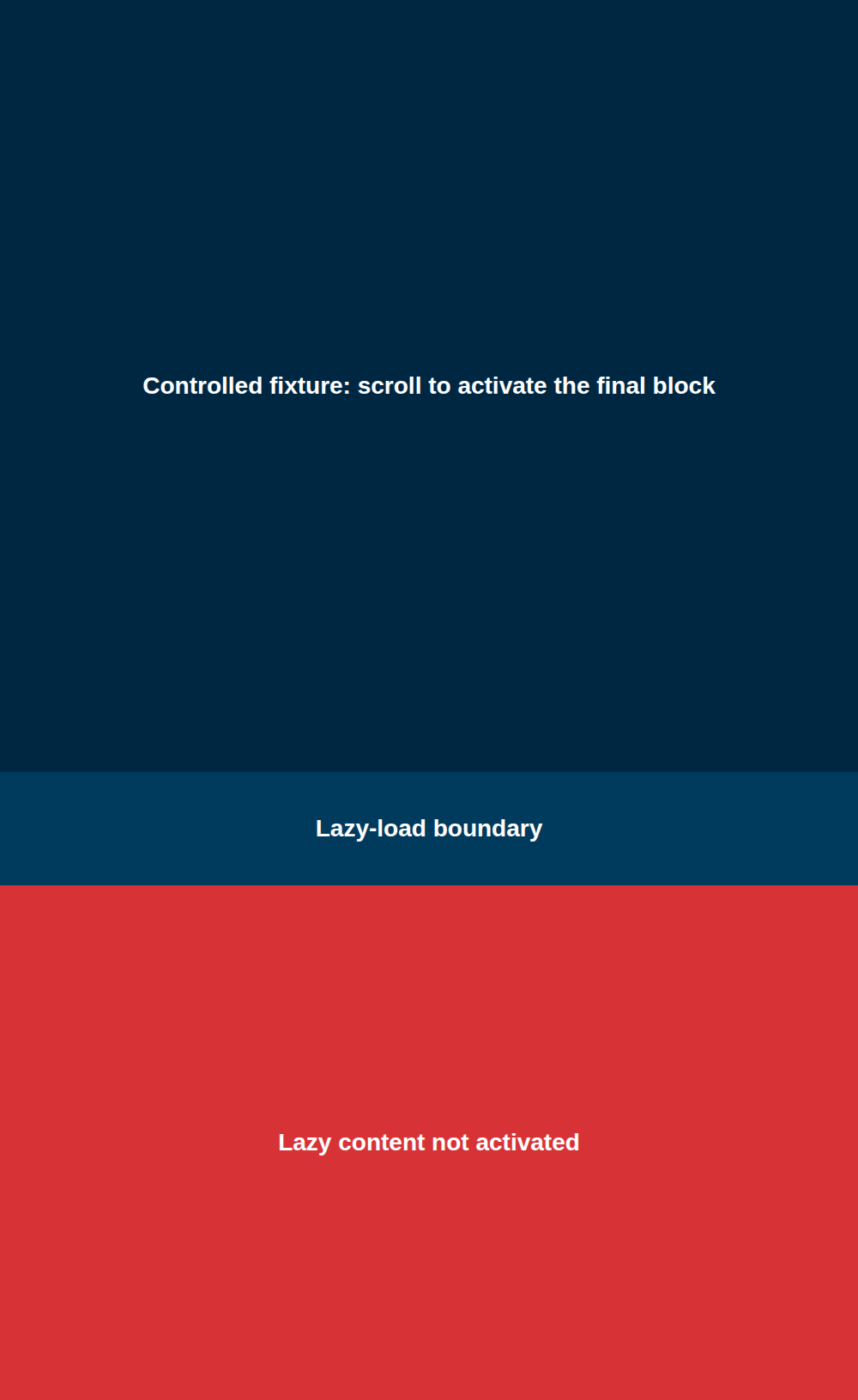
1000×1632 · 31,838 bytes · 821 ms · SHA-256 90bbf9d3…e70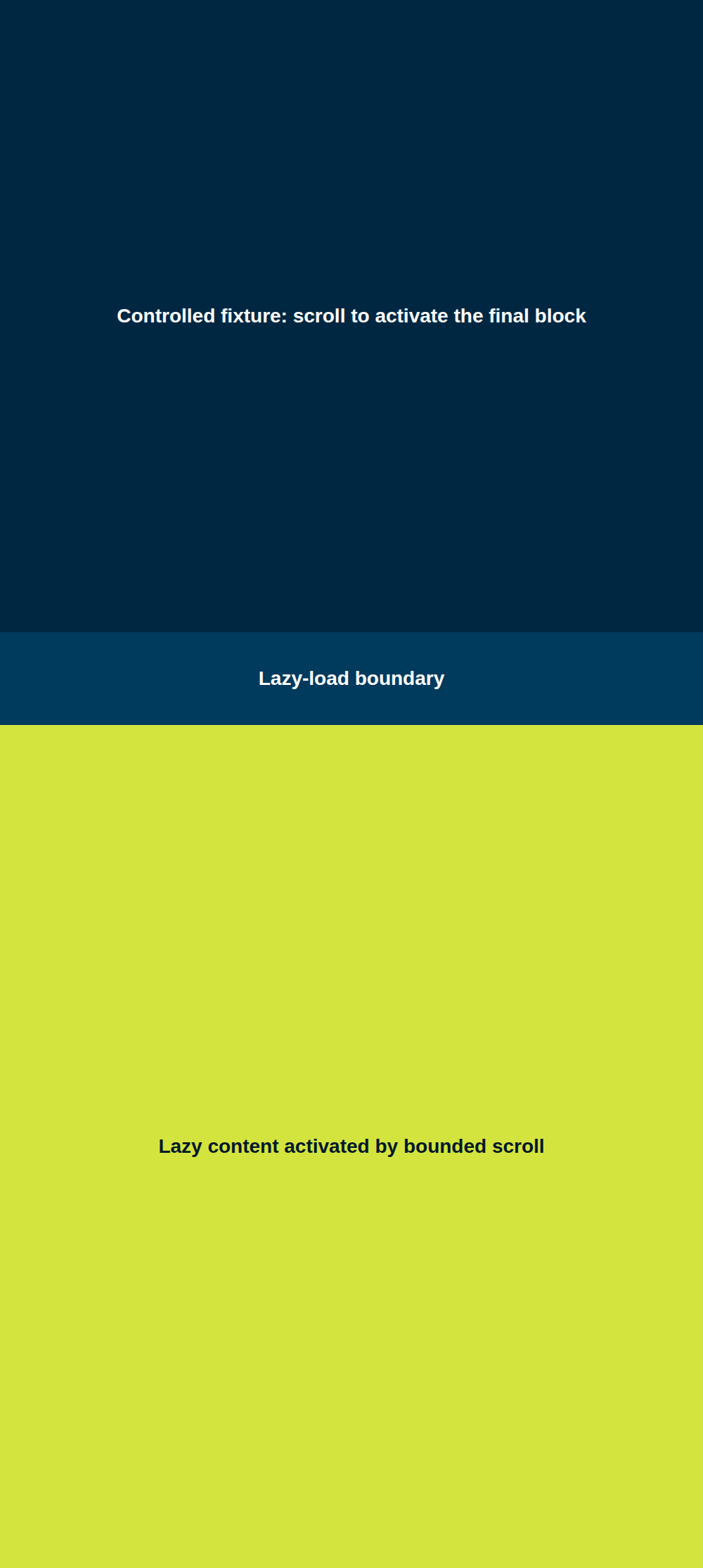
1000×2232 · 38,140 bytes · 1,290 ms · SHA-256 3273e1cb…a35This proves the implemented behavior against one controlled page. It does not guarantee that every site's lazy loader, virtual list, animation, or infinite feed will settle inside the same bounds.
Make one explicit request.
Send the key only from trusted server code. The response body is the PNG; scroll and quota evidence stay in headers.
curl --fail-with-body \
  https://latchshot.fly.dev/v1/render \
  -H "Authorization: Bearer $LATCHSHOT_API_KEY" \
  -H 'Content-Type: application/json' \
  --data '{
    "url": "https://example.com",
    "kind": "screenshot",
    "format": "png",
    "width": 1440,
    "height": 900,
    "fullPage": true,
    "scrollPage": true,
    "waitUntil": "domcontentloaded",
    "timeout": 15000
  }' \
  --output full-page.png
Read the completion evidence
HTTP/2 200
content-type: image/png
x-latchshot-scroll: complete
x-latchshot-navigation: complete
x-latchshot-fonts: original
x-latchshot-scripts: active
x-latchshot-render-ms: 1290
A request without the option returns X-Latchshot-Scroll: off. A successful direct render consumes one monthly success; a failed bounded sweep does not.
Know exactly where the sweep stops.
The option is deliberately smaller than a browser automation API. Its fixed limits prevent a lazy page or infinite feed from retaining a renderer indefinitely.
| Control | Implemented boundary | Outcome |
|---|---|---|
| Request shape | kind=screenshot, fullPage=true | Other combinations return invalid_options. |
| Traversal | At most 48 viewport-relative steps | The sweep fails instead of claiming a partial result when the cap is exhausted. |
| Scroll time | At most 5 seconds | Page growth must reach a stable bottom inside the bounded activation window. |
| Document size | 20,000px high and 5,000px wide | Unsafe initial or lazy growth returns page_too_large. |
| Final state | Scroll position returns to the top | The full-page artifact is captured after activation and a short settle. |
On a narrow screen, scroll the limits table horizontally.
Use it for activation, not interaction.
Good fit
The page reveals content near the viewport.
- Input
- One public HTTP or HTTPS page on port 80 or 443
- Behavior
- Lazy images, sections, or finite feeds activate during a top-to-bottom sweep
- Output
- One application-owned PNG or JPEG returned synchronously
Keep a browser you control
The page needs a workflow.
- State
- Cookies, login, private previews, headers, or local files are required
- Actions
- Clicks, typing, selectors, element-directed scrolling, or injected code are required
- Runtime
- Infinite feeds, custom scroll speed, tracing, extraction, or multi-step navigation matter
Map the narrow provider option.
Do not migrate every browser control just because the scrolling flag maps. Preserve the incumbent for requests that also depend on its stop-list behavior.
| Existing option | Latchshot | Important difference |
|---|---|---|
ScreenshotOne full_page_scroll | scrollPage | No custom delay, scroll-by distance, selector action, or per-request maximum height. |
ScreenshotOne scroll_page | scrollPage | Use with fullPage=true; compare representative output before cutover. |
Browserless scrollPage | scrollPage | Only the deterministic public-page activation sweep maps. Browser sessions and custom actions do not. |
| Playwright custom loop | No exact equivalent | Keep Playwright when your loop chooses elements, speed, direction, waits, or stop conditions. |
On a narrow screen, scroll the option map horizontally.
For provider-specific response and stop-list differences, use the ScreenshotOne or Browserless migration guide.
Validate the pages that pay for the feature.
- Choose public pages that represent ordinary, tall, lazy, animated, and known-failure states.
- Hold viewport, format, quality, wait event, timeout, and cleanup controls constant.
- Compare dimensions and visible lower-page content with scrolling off and on.
- Store
X-Latchshot-Scroll, navigation, font, script, render-time, and quota headers with job diagnostics. - Keep the previous provider or local browser until the sample passes and rollback has been exercised.
Retry only transient 429, 502, 503, or 504 responses with a strict cap. Treat option, target-policy, size, and scroll-limit errors as request changes, not retry storms.
Test the finite lazy page.
Create one card-free key with 100 successful renders each UTC month. Start with a public page you are allowed to capture.